Three moments in DockLedger record something about a person who does not work for you: a driver checking in on their phone, a driver choosing to share their position on the way to you, and a driver signing for the unload on your checker’s handset. Under data-protection law your site, not DockLedger, is responsible for those records, and DockLedger holds them for you. The people concerned have to be told what is kept, and the product tells them in their own language, so there is nothing for you to write.
- Checking in. The check-in page is in whichever of eighteen languages the driver picks. Beside the mobile number it says the office will use it to call them instead of them waiting at the window. When a search finds more than one delivery, the Which delivery? screen adds that their name, phone number, vehicle registration, check-in times and signature are held by the site as part of the delivery’s record, not used for marketing and not sold, with How your data is handled linking to the full privacy notice. Once they are checked in, the page that tells them their bay also carries the signing notice described below.
- Sharing location. While the driver is still on the road, their phone offers Share your location? and does nothing until they press Share my location. What is shared, under the button, gives the full notice: the position only, only until they switch it off, close the page or are signed out at the end of the visit, nothing else read from the phone, and optional, so they can check in without it. It also says the site keeps these positions for 14 days and then deletes them, and the delivery record keeps none of them once they are signed out. It adds that the site is responsible for the record and that they should ask the site to see or delete it.
- Signing for the unload. The driver signs on the checker’s phone or tablet at the end of the check. Above the pad the checker picks the driver’s language, and Signing for the unload explains what is recorded: the name they give, their job, the signature, the exact time, and where that handset was at that moment, one position rather than a trail. It says this is part of the delivery and not optional, unlike sharing their location, and that they can ask your transport office to see, correct or delete it. The driver has already seen the same words on their own phone at check-in.
Checker app · Delivery sheet
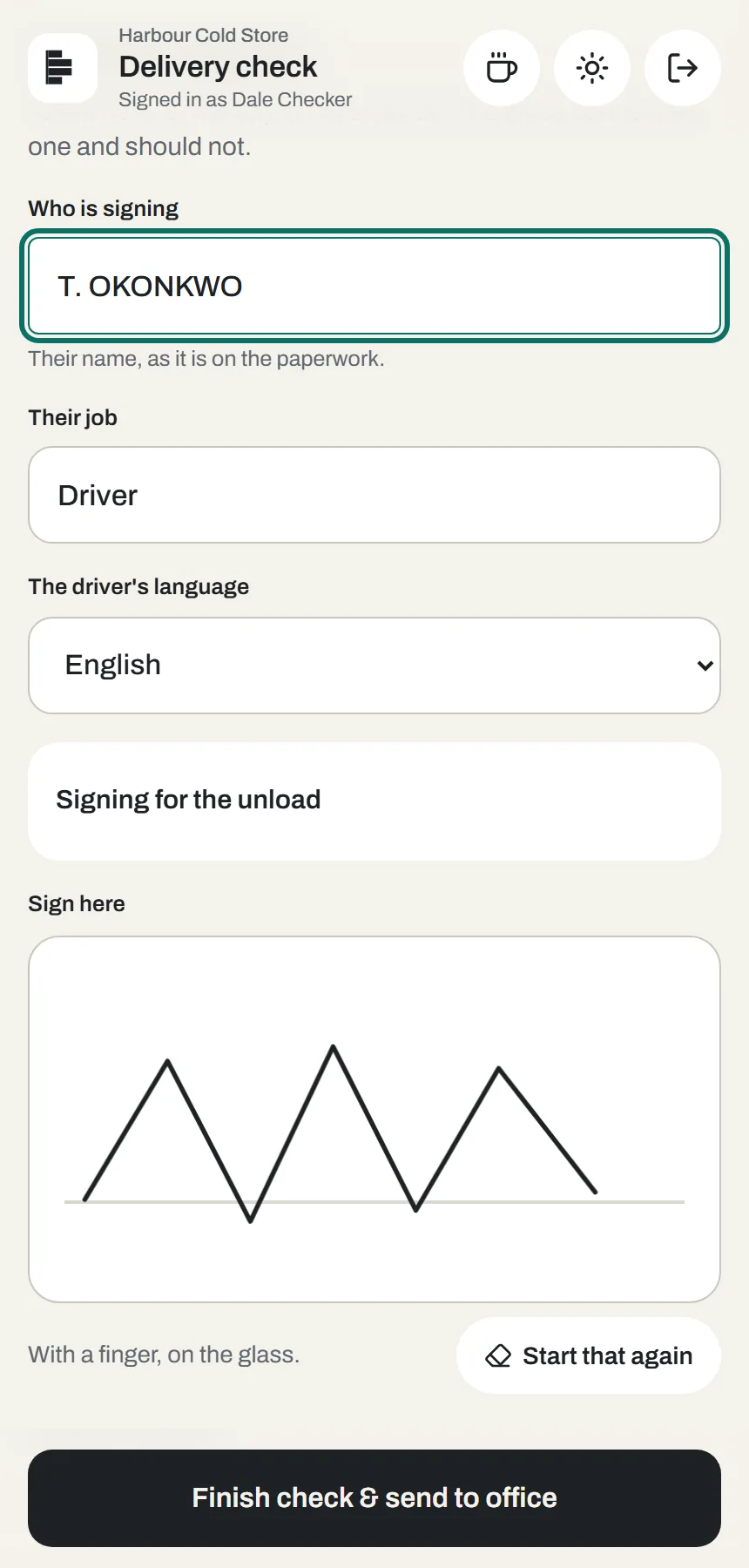
The language on the signature screen goes back to English for every new delivery, because one handset meets many drivers in a day. On the driver’s own phone the check-in page remembers the language they chose.
What is still yours to do
Make sure whoever answers the transport office phone knows how to find a driver’s record, because that is where the notices send them, and answer a request to see or delete one within a month. If a carrier connects its own trackers from its portal, the site sees only vehicles booked in to it, and only inside the booking window, but that carrier still has to tell its own drivers. The privacy notice at dockledger.app/privacy sets out which records are yours and which are ours.