Collections and despatch on the record, with a signed delivery note.
An outbound slot on the dock diary, the loading stamped as it happens, a check of what went on the lorry, and a delivery note you print, and the customer’s signature on the driver’s phone at their door. 14 days free, no card. Start in a sandbox already full of a week’s bookings.
Drivers, checkers and carriers never need a login. Floor staff are £12.
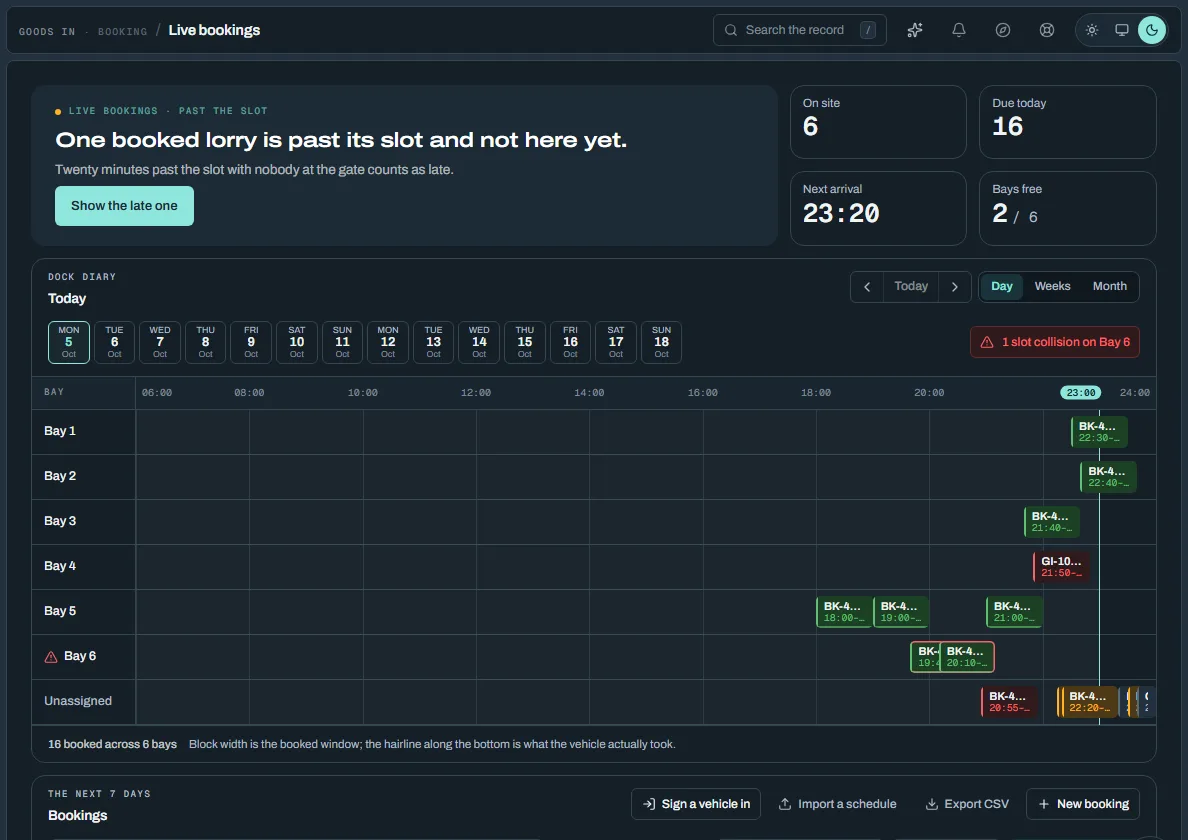
From the booked collection to the signed note
What DockLedger's goods-out records today, in the order it happens on a day.
Collections on the same diary
A lorry coming to be loaded is an outbound slot on the same board as your deliveries. Book it from a confirmed order and the customer sees the collection on their order straight away, or from Goods Out when it is not for one order.
Three moments, each stamped once
Called to dock, Loading started and Loading finished: one press each, then they show their time. They are the moments a carrier's accounts desk argues about when a lorry was kept waiting.
The loading check
Every line is listed with what was ordered. Type what actually went on, and anything under the order is recorded as a short against that line. The screen says how many lines are short before you confirm.
The delivery note, printed
Once the order is despatched, its despatch panel prints the delivery note. The customer's ordering site shows what was sent against each line and anything short.
Loads without an order, box by box
On the loader app, scan every box as it goes on. A box that must not leave stops you there, before it is on the lorry. Check the boxes and the weight, then despatch the load.
Signed at the customer's door
In the loader app's Deliver tab the driver opens the delivery and the customer signs on the phone. The customer's Despatches list shows the delivery note, with who signed for it once it is signed.
One thing it does not do yet: completing a despatch on the loader app does not stamp the collection as loaded, so record the loading finish on the collection before releasing it. The detail is in Collections and despatch, and the settled records, invoices and evidence behind a delivery are in Paperwork & evidence. For the gate and the waiting clock, see the yard management system.
What it costs
Collections, orders, the loader app and delivery notes are part of Platform. There is no goods-out module to add.
With Xero or Sage connected, a despatch goes across as a draft sales invoice by itself, so the invoice is not typed twice.
A site that ships to its own customers
Platform on its own covers the diary, the loading check and the delivery note.
- Collections, orders, the loader app, delivery notes, contacts
- Platform
Platform also includes Carrier & supplier portal, TV wallboard, Orders — none of these cost extra, whatever else is switched on above.
Platform is £129/mo per site, excluding VAT.
See the full price listThe rest of the yard
DockLedger is one console. Each part has its own page — start wherever your problem is worst today.
Send the next load out with a note the customer has signed.
14 days free — 30 with warehouse or traceability. No card, nothing to cancel. Floor staff, drivers and carriers never take a seat.